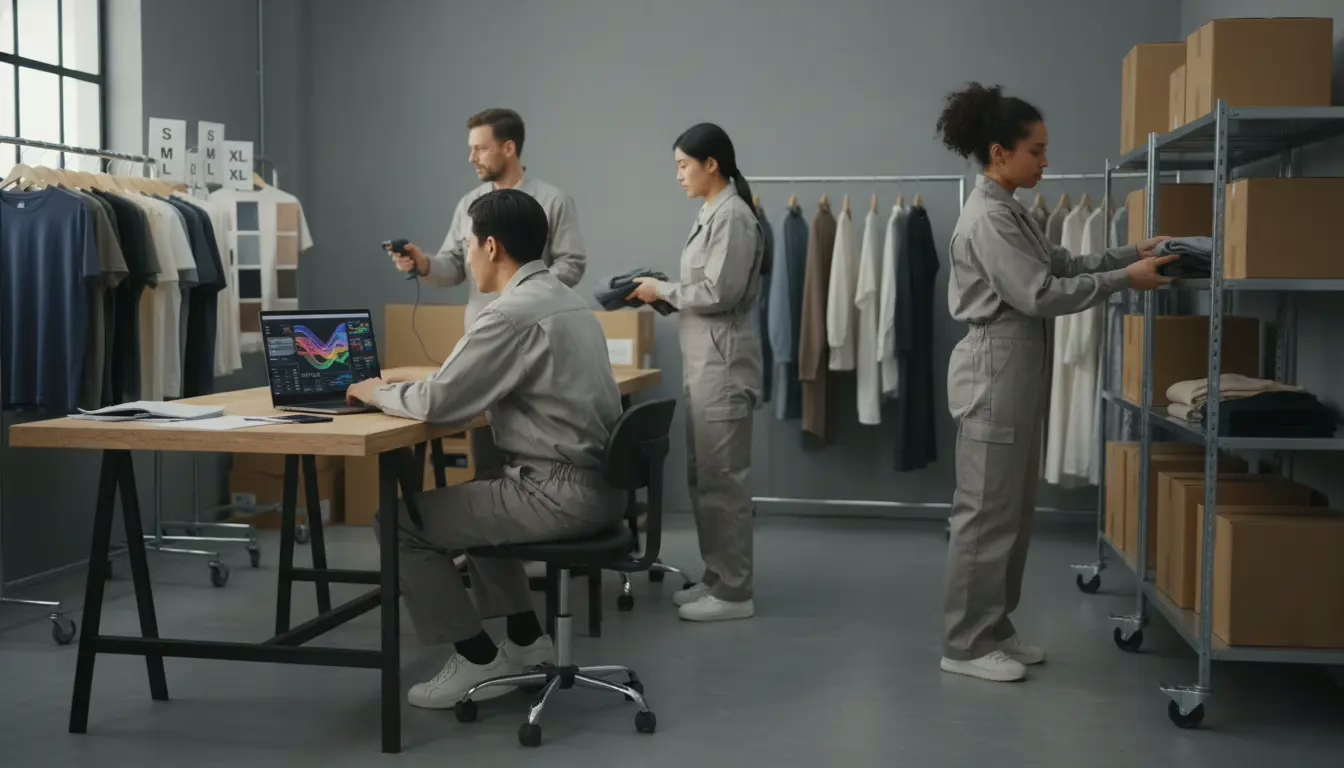
Most fashion brands begin with free inventory software—and at $50K in revenue, that is a smart choice. The systems are simple, the costs are low, and manual work is still manageable.
But as sales grow, the math changes. By the time a brand reaches around $250K in annual revenue, that “free” setup is often costing $30,000 a year in wasted time alone. Teams relying on spreadsheets and free tools typically spend 8–12 hours every week manually updating inventory, reconciling orders, and fixing errors. Those hidden costs usually go unnoticed until stockouts reduce sales or overselling forces refunds and apologies to customers.
What works at $50K does not scale forever. Somewhere between $250K and $1M in revenue, free inventory tools stop helping and start slowing the business down—cutting into margins, productivity, and growth.
This guide is designed to help you recognize that turning point. It explains when it makes sense to move beyond spreadsheets and free software, and how to do it without losing data or disrupting daily operations. You will learn the revenue thresholds that trigger the need for migration, understand the real cost of staying free, and follow a simple transition plan that growing fashion brands use to upgrade their inventory systems with confidence.
The $50K Reality Check: When Free Software Becomes Your Most Expensive Tool
Last Tuesday, a fashion brand doing $80K a month oversold 50 units of its best-selling product across multiple channels. The cause was simple: Excel sheets that were not synced. The rest of the week was spent canceling orders, issuing refunds to frustrated customers, and explaining to a wholesale partner why their shipment would be delayed.
This is not an unusual story. It happens every day with free inventory management tools. Yes, they come with no upfront cost—but they rely heavily on manual work.
Managing inventory across multiple sales channels by hand costs hours every single day. That time should be spent growing the business, not updating spreadsheets. The real damage shows up in inaccurate stock numbers, lost customer trust, and missed sales because you do not know what is actually available to sell.
One brand tracked 14 hours spent on manual inventory updates last week. The week before, it was 16 hours. They are still uncovering errors that trace back months.
Here is what most growing fashion brands experience when they rely on free tools:
- Multi-channel inventory chaos: Stock does not sync automatically between Shopify, wholesale platforms, and dropship partners, leading to frequent overselling.
- Manual data entry errors: One typo in a quantity field can trigger wrong shipments or orders placed against inventory that does not exist.
- No real-time visibility: Buying and restocking decisions are based on outdated numbers, not current sales.
- Broken returns workflows: Returns are handled manually, slowing down restocking and resale.
- Growth that requires hiring: Every new sales channel adds more manual work, forcing brands to hire just to keep up.
There is a clear point where free inventory software stops working for your business. The good news is that there is also a clear, low-risk way to move beyond it—without losing data or disrupting day-to-day operations.
What Is Inventory Management Free Software? (And What It Exorbitantly Costs)
Inventory management free software includes tools like Excel, Google Sheets, and basic platforms such as Odoo or Zoho. These tools let you track inventory without paying a subscription. They typically cover the fundamentals—SKU lists, quantity tracking, and simple reports.
For a brand selling through a single channel and doing under $30K per month, these tools can work well. The problem starts when a business begins selling on more than one channel. That is where free inventory software shows its limits.
The issue is not the software itself. It is the hidden operational cost behind it.
Time is spent manually updating inventory across channels. Revenue is lost when overselling happens because stock numbers are outdated. Customer trust is damaged by late shipments or order cancellations. Cash gets tied up in slow-moving products because you cannot clearly see what is actually selling.
Zoho’s free plan, for example, is limited to 50 SKUs. Odoo offers basic tracking but requires manual handling across channels. Both systems break down once you add a second sales channel. Neither provides true, real-time inventory syncing across multiple storefronts.
When a customer buys an item on Shopify, your Faire or wholesale listings do not update automatically. You end up adjusting quantities in several places, hoping you catch every sale before another order comes in. That guessing game is where free inventory tools begin to hurt growing fashion brands.
Does Excel Have Inventory Management? The Multi-Channel Reality
Excel can technically track inventory, and thousands of brands still rely on it. For very small, single-channel operations, it can be enough.
But for multi-channel fashion brands, Excel is like driving a car with duct tape over the fuel gauge. It works—right up until it doesn’t. The moment you are selling across Shopify, wholesale platforms, and marketplaces, Excel stops being helpful and starts becoming a risk.
Every order has to be entered manually. Quantities are updated by hand. Your team is constantly racing against live sales, hoping no one places an order while a spreadsheet is being edited. One missed update or forgotten refresh is all it takes to oversell.
At that point, you are not managing inventory—you are gambling on timing. And for a growing brand, that is not a system. It is a ticking time bomb.
The True Cost Formula: Time + Errors + Missed Opportunities
Here is a simple way to calculate what “free” inventory software is really costing you.
A fashion brand selling on two channels typically spends 8 to 12 hours each week on manual inventory work. This includes updating quantities, checking orders, processing returns, and creating reports. If you value that time at a conservative $50 per hour, the cost adds up to $400–$600 per week, or roughly $20,000–$31,000 per year.
That number does not include mistakes. A single overselling incident can easily cost $5,000 or more once you account for refunds, customer support time, expedited shipping, and potential platform penalties.
Then there is the hidden opportunity cost. You hesitate to launch new sales channels because inventory becomes harder to manage. Or you are forced to hire a full-time employee just to keep inventory under control.
Free software is not free. It simply pushes the real costs into wasted time, avoidable errors, and slowed growth—until those deferred costs show up all at once.
$50K–$250K: The Excel Breaking Point for Multi-Channel Fashion Brands
At around $80K in monthly revenue, Excel starts to fail in predictable ways. A fashion brand selling on Shopify, supplying a wholesale distributor, and testing a platform like Faire can easily process 100 or more orders per day across channels. At that volume, manual inventory updates consume two to three hours every day—time that should be spent on customer acquisition, product development, or scaling the business.
The warning signs are hard to miss. Overselling happens at least once every few months. Wholesale partners begin asking why shipments are delayed. Team members work late nights just to reconcile inventory numbers.
Internal confusion becomes common, with different spreadsheets showing different “available” quantities. When these problems appear regularly, free inventory tools have already cost the business more than a purpose-built system ever would.
$250K–$1M: When Free Software Costs You Wholesale Accounts
Unlike inventory management free software, purpose-built systems are designed to handle wholesale complexity automatically. At this stage, free tools do more than waste time—they actively damage relationships.
Wholesale buyers expect consistency. They expect accurate inventory counts when placing large orders and on-time shipments once those orders are confirmed. When inventory is managed manually across both B2C and B2B channels, you cannot reliably deliver either.
At this revenue level, most fashion brands are working with three to five active wholesale accounts. One late shipment, an incorrect stock commitment, or a missed reorder due to outdated inventory data can create serious problems.
Any one of these issues can cost you a wholesale relationship worth $50,000 to $500,000 per year. That is not a theoretical risk. It is your actual business model starting to break down because free inventory management software cannot support professional wholesale operations.
$1M+: The Hidden Carrying Costs of Manual Inventory Management
Once a fashion brand reaches seven figures in revenue, the numbers become impossible to ignore. Working with a third-party logistics provider means inventory is spread across warehouses, and fulfillment workflows become more complex. At this scale, manual inventory management is not just inefficient—it is actively draining cash.
One fashion brand doing $2 million annually was spending $47,000 per year on excess safety stock. Manual forecasting forced them to add 15-day buffers to every product. After moving to automated forecasting, they reduced that buffer to seven days and freed up $28,000 in working capital almost immediately.
They were also paying warehouse storage fees on slow-moving inventory because they lacked clear visibility into sales velocity. To keep up, they hired two team members just to manage inventory—costing more than a typical inventory software subscription by nearly eight times.
At this revenue level, avoiding purpose-built inventory management software is not a cost-saving strategy. It is often the most expensive decision a brand can make.
What Is the Best Free Program to Keep Track of Inventory?
Here is the honest reality: there is no single “best” free inventory software. The right tool depends on your sales channels, your business model, and where you are in your growth cycle. In some situations, free tools are genuinely useful. In others, they quietly create risk.
The most common mistake growing fashion brands make is asking, “What’s the cheapest option?” instead of “What’s the lowest total cost?” Those two questions lead to very different decisions.
In one test with a fashion brand doing $180K per year, five free tools were evaluated. Zoho Inventory failed first when the brand added a third sales channel. Its free tier limits users to 50 orders per month, while the brand was processing more than 120.
Google Sheets lasted longer, but introduced a different problem: version control. With three team members updating the same file at the same time, data was overwritten, conflicts were constant, and no one trusted the numbers.
For a single-channel brand earning under $30,000 per month, basic inventory tracking is often enough. A well-structured Google Sheet or Zoho Inventory’s free plan can work. But the moment a second sales channel is added—such as Shopify plus Faire or Shopify plus wholesale—real-time syncing becomes essential. Daily manual updates cannot keep up. That is where inventory management free software consistently fails fashion brands.
3-Step Migration Without Losing Data
Here is the proven, low-risk blueprint fashion brands use to move from spreadsheets to purpose-built inventory systems—without disrupting daily operations.
Week 1: Audit and Parallel Run
Export your current inventory into a clean CSV file with standard fields such as SKU, product name, quantity, location, and cost. Set up the new system and run it in parallel with your existing spreadsheet for one full week. Do not switch over yet. At the end of each day, compare quantities between both systems. Document any mismatches and correct data issues now, before going live.
Week 2: Single-Channel Migration
Choose your highest-volume sales channel—usually Shopify. Connect only that channel to the new inventory system and allow it to control stock levels automatically for one week. Continue managing all other channels manually as usual. This limits risk: if something breaks, only one channel is affected while you fix it.
Week 3: Full Migration and Cleanup
Once accuracy is confirmed, connect all remaining sales channels. Turn off manual inventory updates in spreadsheets. Train your team on the new workflows for receiving, fulfillment, and returns. Archive your old spreadsheets for reference, and enable automated low-stock alerts to prevent future stockouts.
This phased approach works because it prioritizes verification before commitment. By validating accuracy at each step, brands transition cleanly—without lost sales, inventory errors, or operational chaos.
Your Inventory Deserves Better Than Spreadsheets
Moving from spreadsheets to purpose-built inventory software does not have to strain your budget or disrupt daily operations. Fashion brands managing between $50K and $1M in inventory consistently see measurable returns within months—fewer stockouts, lower carrying costs, and significant time reclaimed from manual inventory work. Your team deserves clear visibility into what is actually available to sell, and your cash flow should not depend on guesswork.
The right time to modernize inventory is not when spreadsheet errors are overwhelming the business. It is before you reach that breaking point. Start by auditing where time is being lost, where errors occur, and where growth feels constrained. Then test a platform designed for your current scale and complexity. Most free trials surface immediate insights and inefficiencies you did not realize were holding you back.
If you are ready to centralize your inventory and operate with confidence, request a live demo of Blastramp and see how inventory software built for growing fashion brands can transform how your team works.


